EntrustSword — Web Edition

A single-player card game of warriors and weapons
Play warriors from your hand and arm them for each clash. Win duels against computer opponents, add new cards to your deck, and take on the final boss of the Prologue.
Play for free in your browser on PC or mobile.
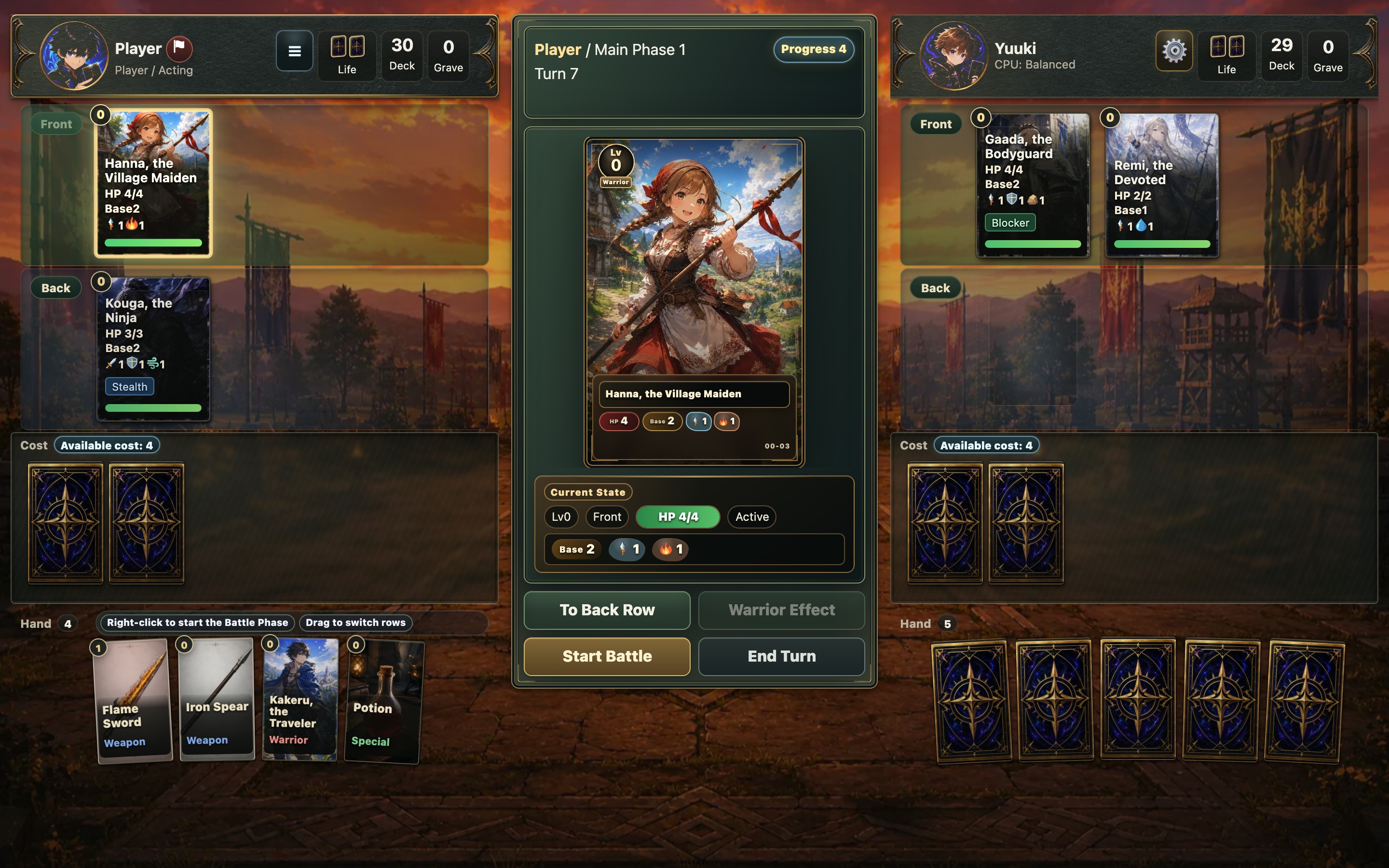
Bring your warriors into battle and see what your deck can do.
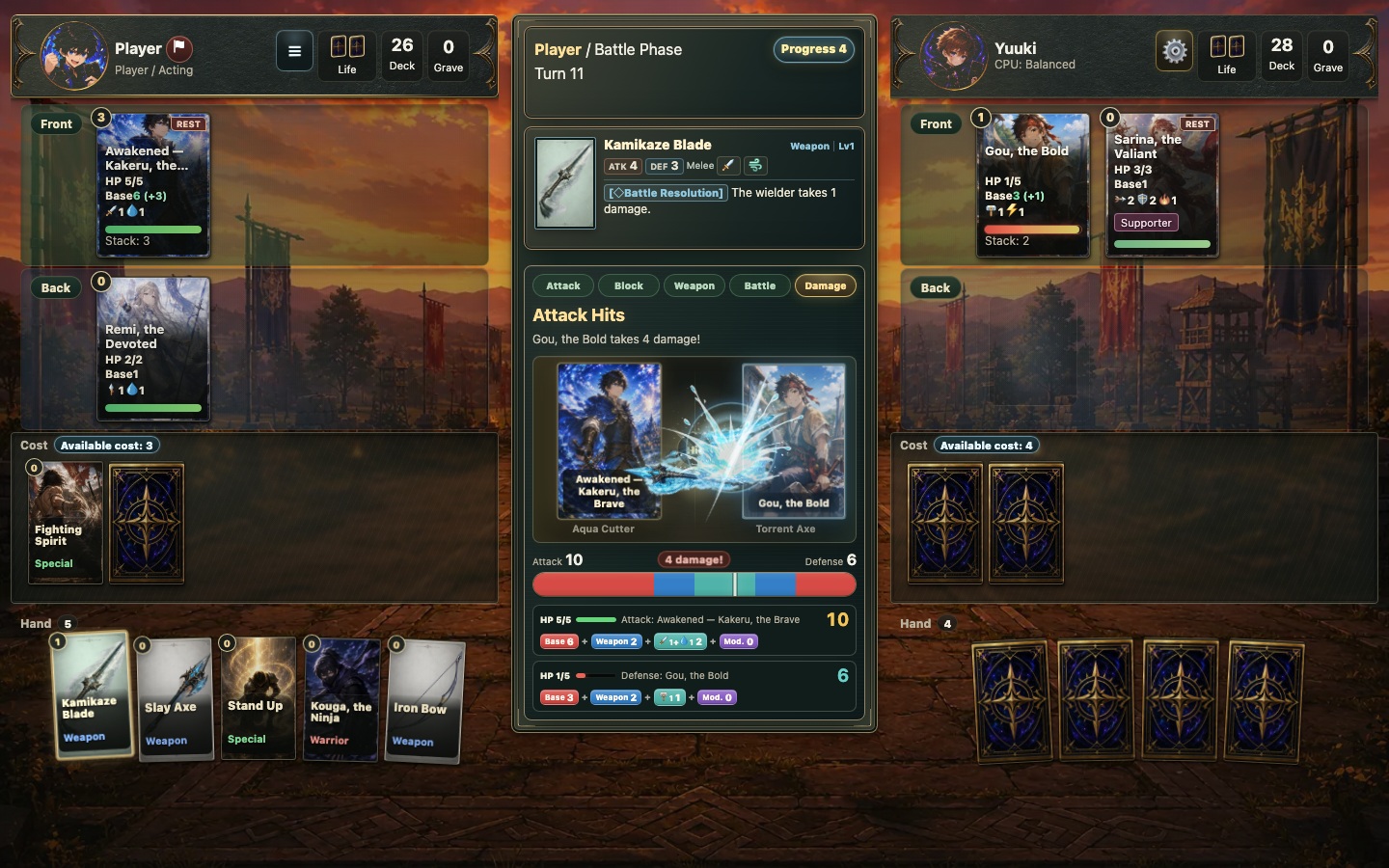

Would you give your warrior the spear or the sword?
Your warrior is about to attack. You pick her weapon while your opponent picks one for the defender. Then you reveal both weapons together.
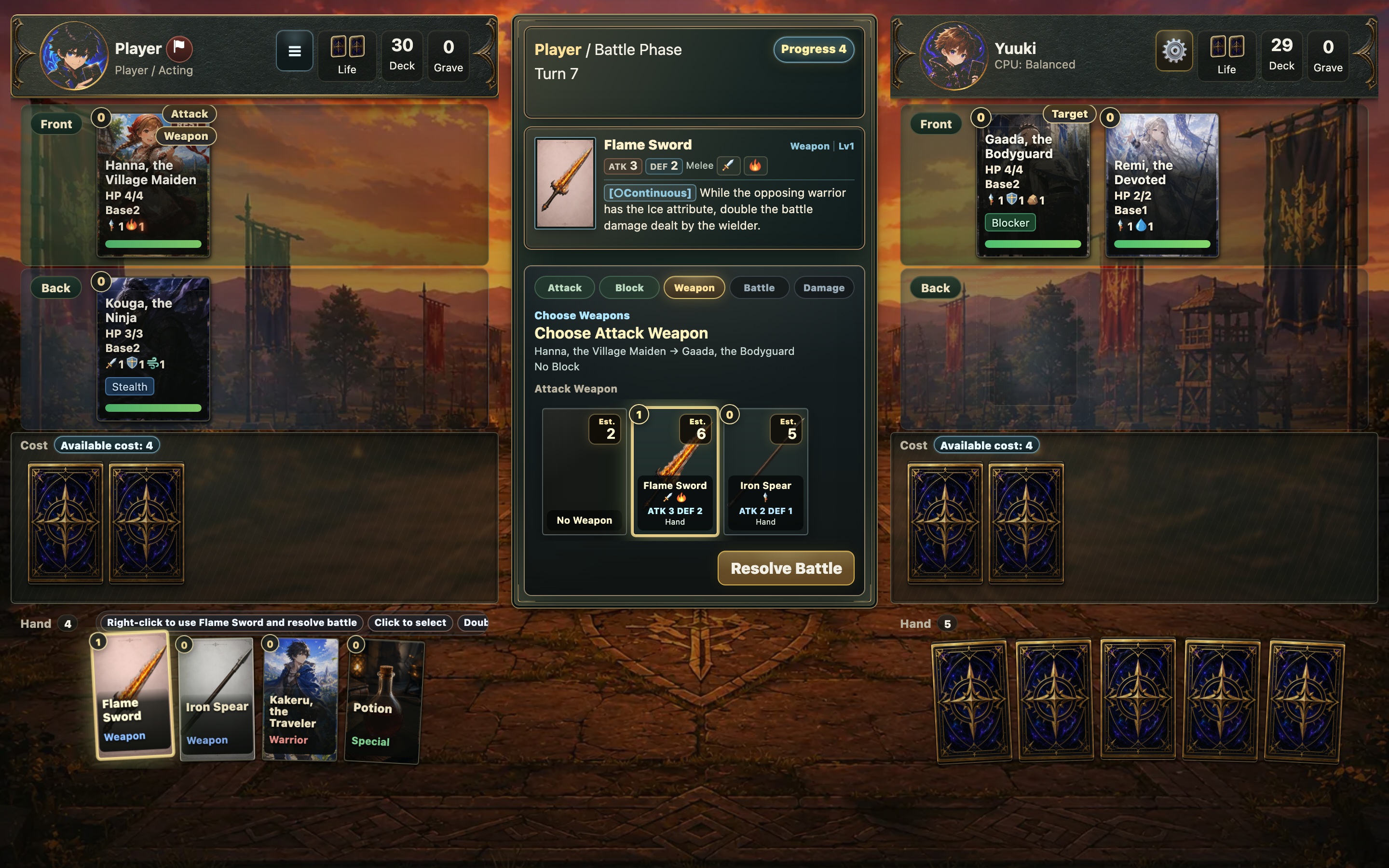
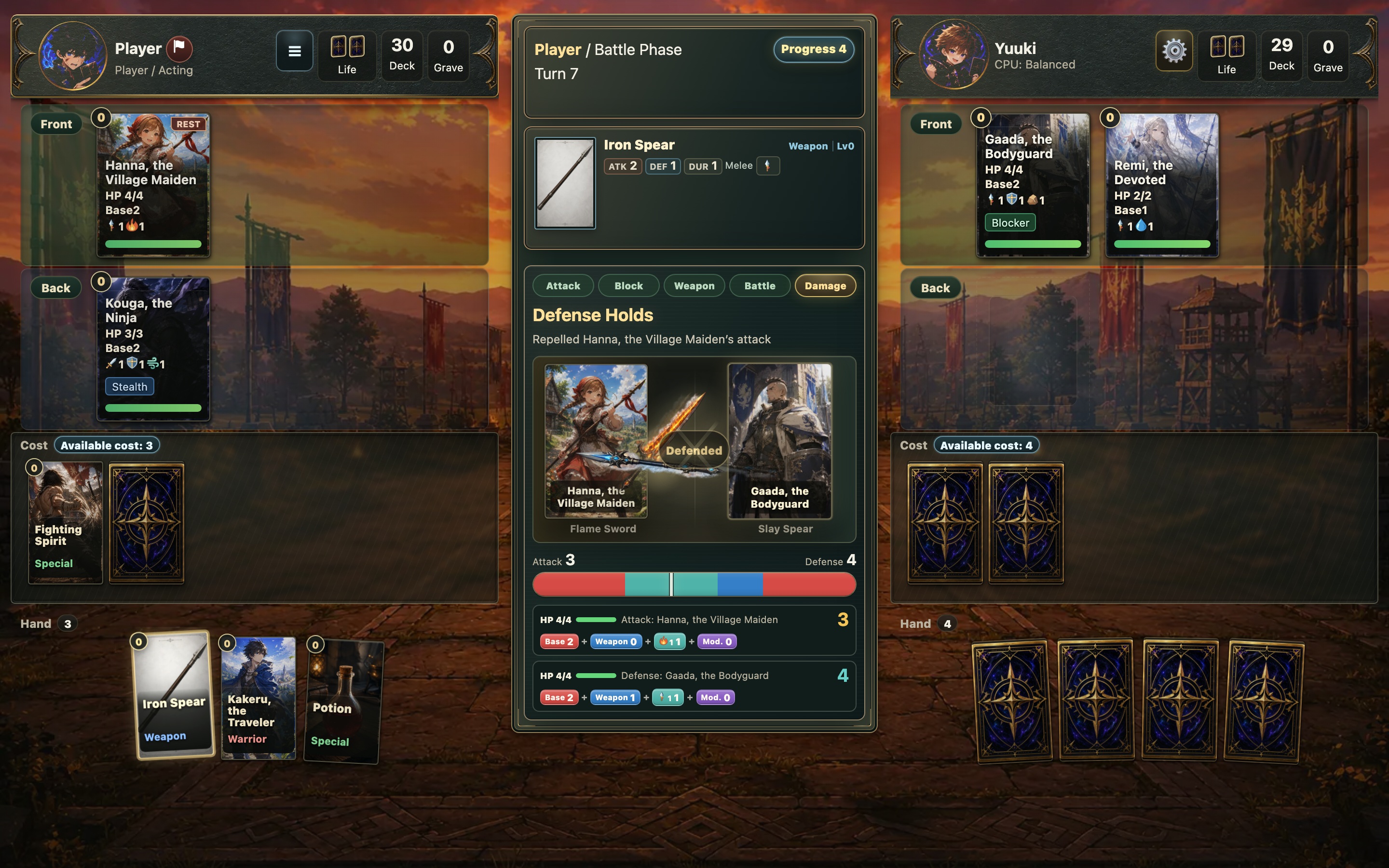
In this clash, the defender’s weapon stops the attack.

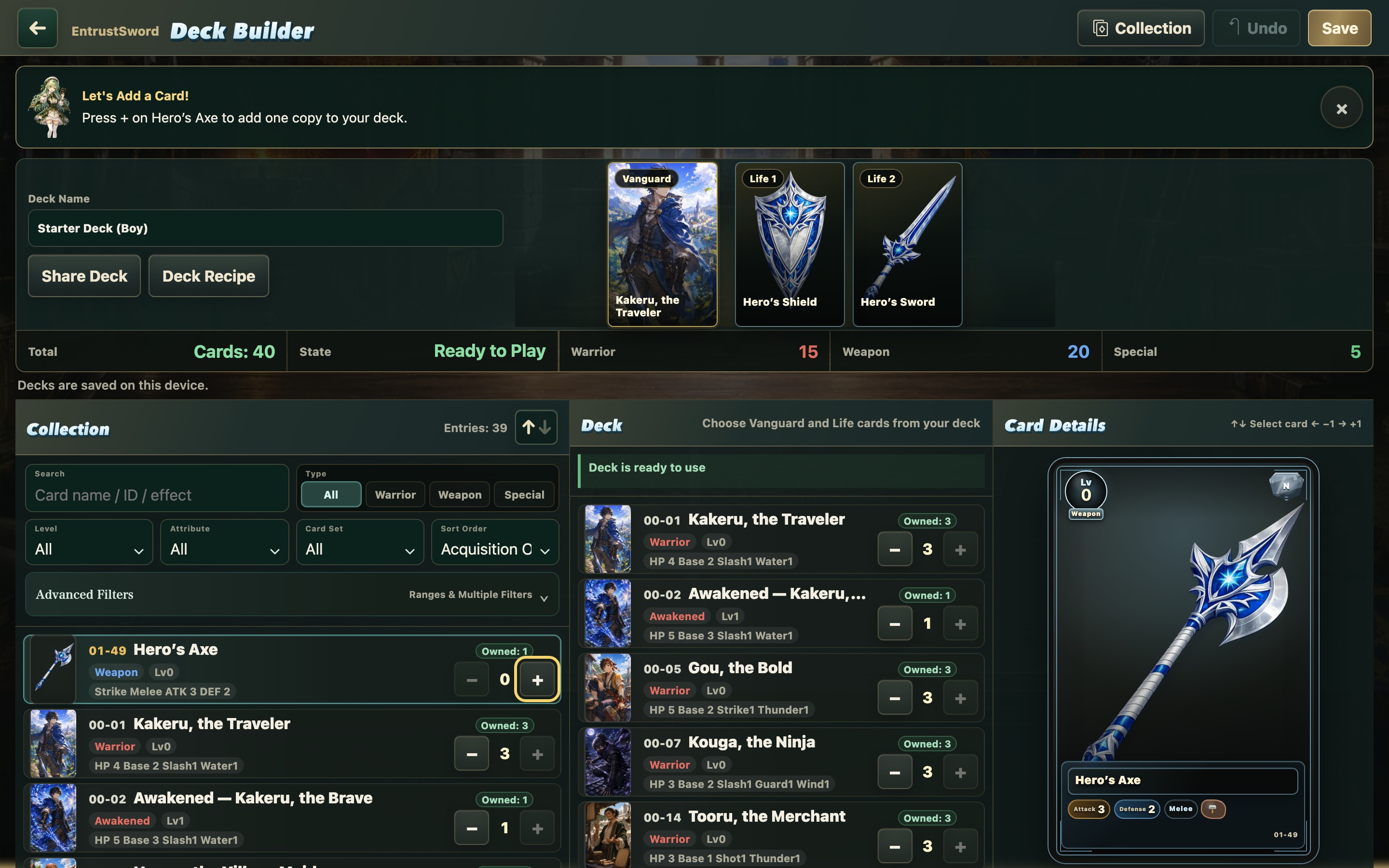
Build a stronger deck with the cards you win
Your first win earns you a powerful new weapon. Add it to your starter deck and you can draw it in your next duel. Later, you can trade for cards that suit the way you play.
Playing the Web Edition
- Play the complete Prologue, from the opening to the final boss. Navi’s optional tutorials let you practice one rule at a time.
- Play with a mouse or touch controls. On a phone, tap the play button to open the game in fullscreen.
- English and Japanese text, with Japanese voice clips.
The Web Edition is in public beta. Online multiplayer and the shop are features of the app edition in development.
Saving and transferring your progress
Your progress is saved in the browser you use to play. It does not sync automatically across browsers, devices, or hosting sites.
After important progress and before updates, use Save Data → Save to File on the title screen to keep a backup.
To move to another browser edition, choose Save Data → Load from File there. Loading a backup replaces the destination's progress, cards, and decks, so back up any data you want to keep first.
Matches in progress and device settings are not included in the backup file.
Transfers to the app edition are planned after its release.
To help improve the game, progress information is sent automatically. See About This Edition in the game for details.
Feedback and bug reports
Which weapon choice made you hesitate? Which combination surprised you? Comments and feedback are welcome.
For bug reports, open About This Edition in the game or use the official report form. If the form opens in Japanese, select English from the language menu at the top.
AI use and credits
Generative AI was used for images, some writing, dialogue and English translations, and program code.
Music, sound effects, and Japanese voice clips use existing third-party materials. See the in-game credits and About This Edition for their sources.
Created by ArudoGames
Updates and app development on X
Version: v0.3.5
Development log
Leave a comment
Log in with itch.io to leave a comment.